Setting up a new WordPress site is an exciting proposition, but there are tens of thousands of plugins in the directory, and choosing the wrong ones might slow your site down, introduce security flaws, or leave you with a mess to clear up later. This guide cuts through the noise. Here are the must-have free plugins for practically any new WordPress site: Search Visibility, Security, Speed, Backups, Forms, Spam Control & Analytics.
Table of Contents
Best Free WordPress Plugins
short answer: But here is the short list of free WordPress plugins you should install: Rank Math (or Yoast SEO) for SEO, Wordfence for security, LiteSpeed Cache or WP Super Cache for speed, UpdraftPlus for backups, WPForms Lite for contact forms, Akismet for spam, and Site Kit by Google for analytics. That seven-plate stack covers the bases without bloat.
Why is Selecting Plugins Important on a New WordPress Site?
Each plugin you add is another piece of code running on your site. The best plugins handle a real problem with the least amount of overhead. Poorly constructed or abandoned ones can impede loading speeds and provide a security concern. A solid way to approach every new WordPress setup is to simply install what you urgently require, keep everything updated and remove anything you aren’t using.
When you look at the directory page for a plugin, there are three things to look for before you install it: when it was last updated, the number of active installations, and if it’s tagged as compatible with your current WordPress version. These basic tests rule out most of the dangerous choices.
The best free WordPress plugins are:
1. SEO: Yoast SEO or Rank Math
You want search visibility from day one. An SEO plugin supports you in crafting meta titles & descriptions, generates an XML sitemap & adds structured data to help search engines understand your sites. Both Rank Math and Yoast SEO are popular, and the free versions do the job for most new sites. Use only one SEO plugin, not both. If you run two SEO plugins at the same time, you will create conflicts and duplicate tags.
2. Security: Wordfence Security
Bots examine new WordPress sites as soon as they are created. Wordfence offers a web application firewall, virus screening and throttling of repeated login attempts. Install it and set up 2-factor authentication on your admin account and choose a strong and unique password. If you prefer an alternative, another decent free one is Solid Security
3. Speed: LiteSpeed Cache / WP Super Cache
Quick pages keep visitors on your site and improve rankings. A cache plugin stores pre-generated versions of your pages so WordPress doesn’t need to regenerate them for every visitor. LiteSpeed Cache works well on hosts that run LiteSpeed servers. If you’re unsure, WP Super Cache is a solid and easy choice. Use just one caching plugin at a time.
4. Backups UpdraftPlus
Even the most careful site owners can run into problems: a botched update, a hacked login, and an inadvertent delete. UpdraftPlus allows scheduling of automatic backups and sending them off-site to a remote destination like Google Drive or Dropbox, so you have a duplicate of your site outside your hosting account. At least run a test restore so you know the process works when you really need it.
5. Form & Spam Protection: WPForms Lite & Akismet Plugin
Contact Form Converts Visitors Into Leads And Customers With the visual builder in WPForms Lite, you can design a working form in minutes. Combine it with Akismet to filter spam out of comments and form submissions. Note that Akismet is free for personal sites but may require a paid plan for business use, so read its conditions for your scenario.
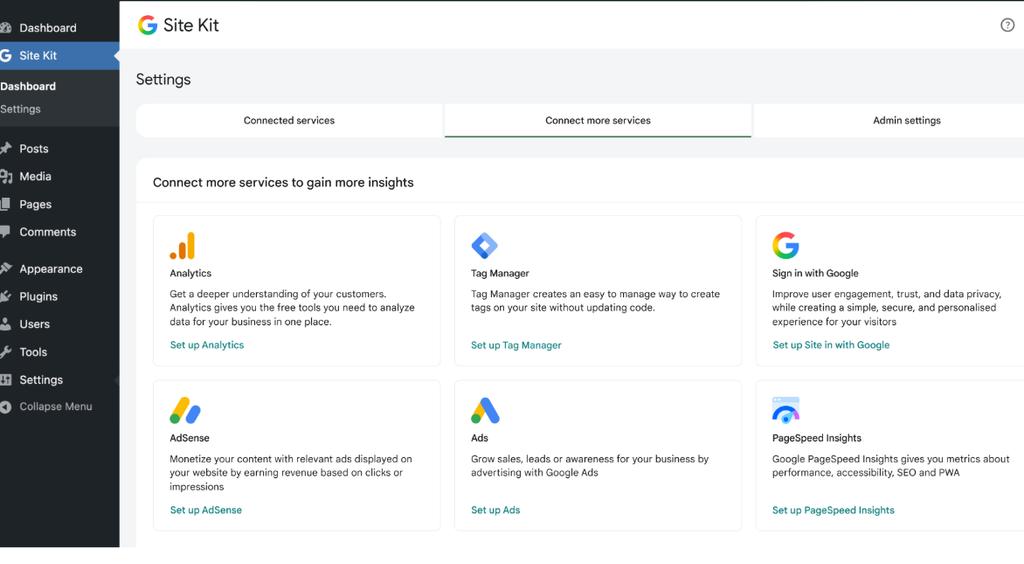
6. Analytics: Google Site Kit Plugin
You can’t enhance what you don’t measure.” Site Kit links your site to Google Search Console and Google Analytics and shows the essential numbers in your WordPress dashboard. You can check what sites are getting visits and what search phrases are bringing them in.
| Plugin | Category | What the free version does | Best for |
| Rank Math | SEO | Meta titles and descriptions, XML sitemaps, schema markup, keyword guidance | Bloggers and small businesses |
| Wordfence Security | Security | Firewall, malware scanning, login protection | Any public-facing site |
| LiteSpeed Cache | Speed | Page caching, file optimization, image lazy loading | Sites on LiteSpeed hosting |
| WP Super Cache | Speed | Simple static page caching | Beginners on any host |
| UpdraftPlus | Backup | Scheduled backups to cloud storage, easy restore | Anyone who wants peace of mind |
| WPForms Lite | Forms | Drag-and-drop contact forms | Contact and enquiry pages |
| Akismet | Spam | Filters spam comments and form entries | Sites with comments or forms |
| Site Kit by Google | Analytics | Shows Search Console and Analytics data in your dashboard | Tracking traffic and rankings |
How to build a lean plugin stack
- 1 plug-in per job, no duplication of function.
- Keep WordPress core, themes and plugins up to date at all times.
- Clean up unneeded plugins. Please don’t just turn them off.
- If your host has a staging copy, test changes there.
- Regularly go through your plugin list and delete any plugins you don’t use.
How many plugins should install on a brand new WordPress site?
There is no magic number. More quality, less quantity. Five to ten well-chosen plugins are enough for most new sites. A single badly coded or heavy plugin can inflict more damage than 10 lightweight plugins.
Are free WordPress plugins safe?
Plugins in the official WordPress directory are evaluated, but that doesn’t necessarily make them perfect. Choose plugins that are updated regularly, have many active installations, and provide fast support response times. Keep posted on them.
Can too many plugins slow down WordPress?
Yes, too many plugins can slow down WordPress.
Do I need Rank Math and Yoast SEO?
No, there are two SEO plugins that are fighting with duplicate meta tags and the sitemap. Pick one and stick to it.
Conclusion
Strong WordPress sites are built with a short list of carefully chosen tools. The free plugins listed above include SEO, security, speed, backups, forms, spam, and analytics. Keep them in the loop but only add more if you have a good reason. Measure how your site is doing with the quick answer stack and start from there.

I am Sirisha, and I am a digital marketing professional and content creator interested in Artificial Intelligence (AI), digital marketing, websites, apps, software, and technology. I also have completed digital marketing training from ODMT, where I have learned about Search Engine Optimization (SEO), Google Ads, Meta Ads, and web designing. My learning and hands-on experience is building on my knowledge of digital marketing, AI tools, and online technologies.
I’m the founder and content creator of TVSM Blogs, and I’m here to share useful, informative, and beginner-friendly content about AI tools, digital marketing, software applications, website development, blogging, and emerging technology trends. I want to help people understand new digital devices and how to use them effectively in their personal and professional activities. I am particularly keen to investigate AI-powered tools like ChatGPT, Gemini, Claude, Perplexity, and other productivity tools that can help with content creation, marketing, research, and everyday tasks.
I will be writing about practical AI tutorials, digital marketing guides, app reviews, software comparisons, website tutorials, and tech articles on my blog. I believe in continuous learning, research for reliable information, and sharing knowledge in a simple and easy-to-understand language. I want to review some tools, share my practical experience with them, and explain their features, benefits, and limitations so that readers can make informed decisions.